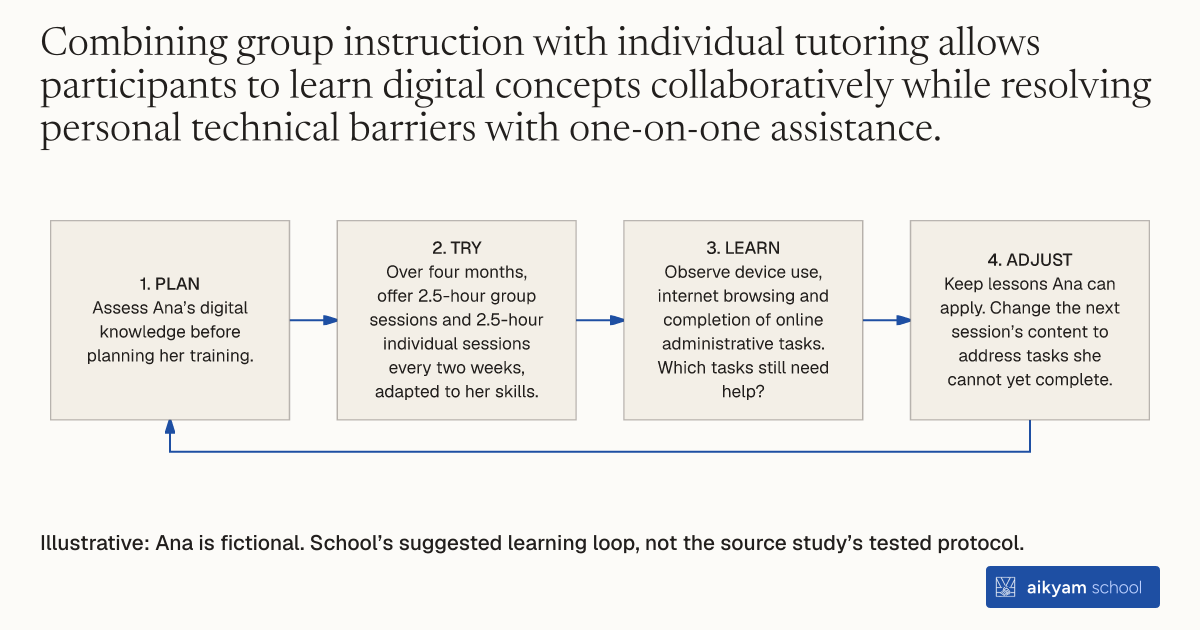
Try, learn and adjust
Check digital lessons match starting skills
- Plan: Assess Ana’s digital knowledge before planning her training.
- Try: Over four months, offer 2.5-hour group sessions and 2.5-hour individual sessions every two weeks, adapted to her skills.
- Learn: Observe device use, internet browsing and completion of online administrative tasks. Which tasks still need help?
- Adjust: Keep lessons Ana can apply. Change the next session’s content to address tasks she cannot yet complete.
Illustrative: Ana is fictional. School’s suggested learning loop, not the source study’s tested protocol.
See source →School’s suggested, untested loop: observe practical digital tasks; group workshops and individual tutoring run alongside each other.
How
When to use
Beneficiaries of social protection and low-income job seekers often lack foundational digital skills and internet access required to complete electronic public administration procedures and search for employment. Standard online portals assume basic technical literacy that digitally excluded citizens do not possess. This method delivers adaptive group workshops combined with one-on-one tutoring within a single social support window to build practical digital skills.
Deliver bi-weekly group digital skills workshops and individual tutoring tailored to participants' baseline knowledge within a social support window.
- Caseworkers conduct an initial assessment of each participant's digital knowledge upon entry into the one-stop social support program.
- Instructors lead 2.5-hour group digital training sessions every two weeks over four months, adapting lesson content to participants' skill levels.
- Tutors conduct 2.5-hour individual support sessions every two weeks over four months to help participants apply digital concepts to personal needs.
- Program staff guide participants through hands-on exercises in operating digital devices, browsing the internet, and navigating e-government portals.
- Advisors assist participants in completing online administrative tasks, accessing public social benefits, and applying for job opportunities.
Why it works
Adapting lessons to baseline knowledge ensures participants gain confidence in operating devices and independently completing public administration tasks online.
Example
The Government of Aragón in Spain implemented the "Aragón Incluye" digital training program for 1,831 minimum income beneficiaries and individuals at risk of poverty over seven months. Participants received 2.5-hour group workshops and 2.5-hour individual tutoring sessions every two weeks for four months. The intervention enhanced participants' general digital skills, device operation, and ability to complete online administrative procedures.
About the study
Participants
1,831 beneficiaries of minimum income schemes and job seekers at risk of poverty or social exclusion (922 treatment group, 909 comparison group) in Aragón, Spain.
Study Design
Randomised Controlled Trial (RCT) evaluating a 7-month intervention featuring bi-weekly group workshops and individual tutoring delivered by the Government of Aragón.
Results
The program enhanced digital skills, particularly improving participants' ability to use digital devices and the internet and complete online administrative procedures, while producing small positive effects on self-perceived capacity to secure employment, self-esteem, and life satisfaction.